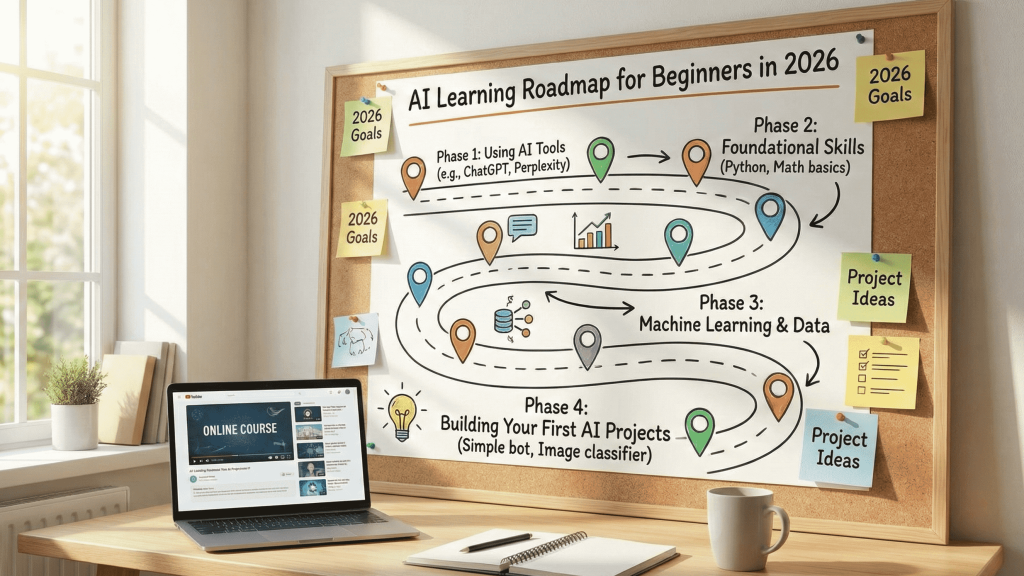
Learning roadmap beginners — From using tools to building is one of the most important topics in AI and automation in 2026. Everyone hears about AI today, but most people do not know where to start: should you learn to code, begin with ChatGPT, and how long will it take? Modern learning guides suggest two complementary tracks: a “practical, no‑code AI user” track for people who want quick wins at work, and a “technical AI” track for those who want to understand models and build projects. This pillar gives you a clear roadmap for roughly one year, which you can shorten or stretch depending on your time.
1. Two Main Phases in Learning AI
Most 2025–2026 roadmaps split the journey into two stages:
- Practical AI without coding: you learn AI basics, how generative models work, prompting skills and how to use tools in your current job or studies.
- Technical AI: for those who want to go deeper, covering Python, basic math and statistics, core machine learning and deep learning concepts, and real projects for a portfolio.
The goal is not to become a research scientist in six months, but to build solid “AI literacy” first, then decide whether you want the technical deep dive or to remain a power user of tools.
2. What the Satellites in This Cluster Cover
- Simple explanations of what AI is and the main types of models.
- Prompt‑engineering skills and how to use ChatGPT and other tools effectively.
- A no‑code learning plan for non‑programmers focused on tools and practical projects.
- A technical learning plan for Python and machine learning step by step.
- How to choose your path and finish with a small “capstone” project that showcases your skills.
SATELLITE 13.1
Understanding AI in Plain Language: What It Is and What It Can Do for You
Author: HILAL
Category: Tutorials
1. Basic Definitions Without Jargon
Beginner guides recommend first understanding the differences between AI, machine learning and deep learning, and between generative models and traditional ones. In simple terms: AI is any system that tries to mimic some human capabilities like understanding or prediction; machine learning is the branch that learns from data; and generative AI refers to models that can create text, images, code or audio that look human‑made. Knowing these basics protects you from hype and clarifies what AI can actually do for you.
2. Finding AI Use Cases in Your Own Life
Before diving into courses, it helps to list your daily tasks and mark where AI could save time: email writing, summarizing lectures, simple data analysis or scheduling. Non‑coder roadmaps often ask you to write 5–10 tasks you’d love to automate, then turn those into mini‑projects during your first weeks, so you quickly experience tangible benefits instead of just watching theory.