
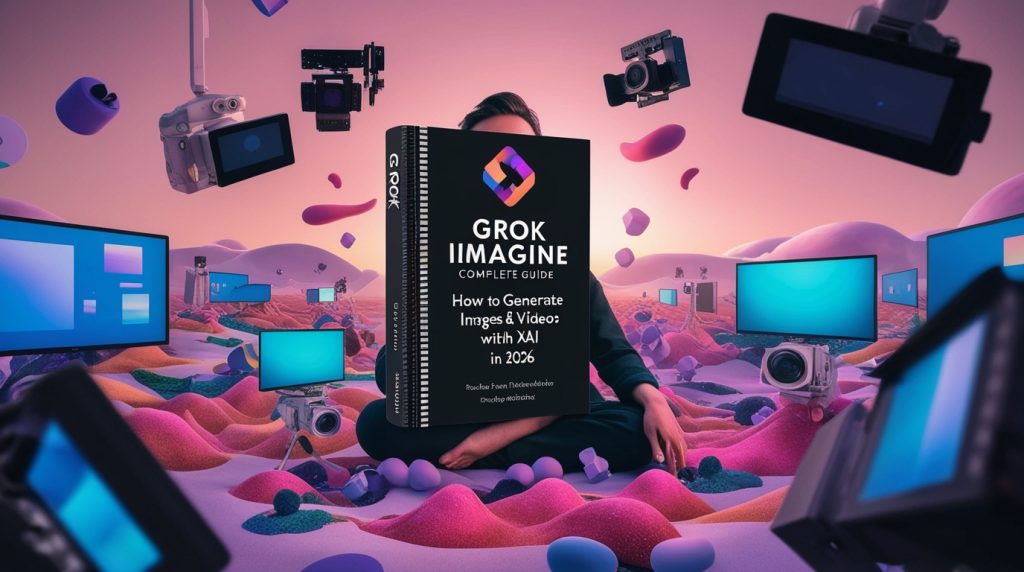
When Grok Imagine launched on July 28, 2025, I spent the first hour generating increasingly ridiculous images just to test the boundaries. “A cat playing poker with Abraham Lincoln on Mars”—it delivered. “The Mona Lisa as a cyberpunk hacker”—perfect execution. Then I tried something ChatGPT’s DALL-E would flatly refuse: “A political cartoon showing [controversial figure] in an unflattering light.” Grok generated it without hesitation.
That’s when I understood what made Grok Imagine different. This wasn’t just another AI image generator. It was the first major platform built without the aggressive content filters that define competitors. Whether that’s liberating creative freedom or dangerous irresponsibility depends entirely on your perspective—and your use case.
Three months later, on January 28, 2026, xAI expanded Grok Imagine with video generation capabilities, allowing users to create six-second animated clips from text prompts. The platform now competes directly with Midjourney for stunning visuals, DALL-E 3 for text-to-image versatility, and RunwayML for quick video creation—all while maintaining the minimal content restrictions that have made it both popular and controversial.
This guide will show you everything you need to master Grok Imagine: how to access and use the platform effectively, what prompts actually work versus what produces garbage, how it compares to Midjourney, DALL-E, and other generators, the controversial “Spicy” mode and content policy issues, and practical applications for business, creative work, and personal projects.
Whether you’re a designer exploring new tools, a marketer needing visual content at scale, or just curious about what differentiates Grok Imagine from established alternatives, you’ll find practical answers here. For broader context on Grok’s overall capabilities beyond just image generation, see our complete Grok AI guide.
Understanding Grok Imagine: Architecture and Capabilities
Grok Imagine represents xAI’s entry into the visual AI generation space, but it’s not just another Stable Diffusion wrapper with a new UI. The technical foundation and design philosophy create genuinely distinct capabilities.
The Core Technology
Grok Imagine is built on Black Forest Labs’ FLUX.1 model, one of the most capable open-source image generation architectures available in 2026. Unlike proprietary systems like Midjourney or DALL-E 3, FLUX.1 is open-source, which means xAI could modify and optimize it extensively for their specific use cases.
The FLUX.1 base provides several advantages: excellent prompt adherence (it actually generates what you ask for), strong composition and artistic understanding, reliable text rendering in images, and consistent quality across different styles.
xAI’s customization layer adds real-time learning from X data (trending visual styles and aesthetics), integration with Grok’s language understanding for prompt interpretation, and minimal content filtering compared to the base FLUX.1 implementation.
Image Generation Capabilities
Grok Imagine handles the full spectrum of image generation use cases:
Photorealistic imagery for product photography, professional portraits, landscape photography style, and architectural visualization. The system understands lighting, perspective, and physical plausibility well enough to generate images that can pass as photographs at casual inspection.
Artistic and illustrative styles including digital art and concept art, oil painting and watercolor simulation, anime and manga styles, and graphic design and typography. The model’s training on diverse artistic styles means you can generate everything from Renaissance painting aesthetics to modern flat design.
Abstract and creative work for surreal and dreamlike compositions, abstract patterns and textures, conceptual visualization, and experimental art styles. Grok Imagine handles the weird and unusual remarkably well—better than DALL-E 3’s tendency toward safe, conventional outputs.
Technical and diagram work for infographics and data visualization, technical diagrams and schematics, architectural plans and blueprints, and UI/UX mockups. While not as strong as specialized tools, it’s surprisingly capable for quick mockups and conceptual work.
Video Generation (Beta)
The January 2026 video update added six-second animated clip generation from text prompts. This isn’t full video synthesis—it’s more like animated GIFs with audio—but it opens new creative possibilities.
Video generation works best for simple animations and movement, product demonstrations and rotations, animated logos and branding, and short social media clips. Complex narratives or extended scenes remain beyond current capabilities, but for quick animated content, it’s remarkably effective.
Resolution and Quality
Grok Imagine generates images up to 2048×2048 pixels by default, with options for different aspect ratios (16:9, 9:16, 1:1, 4:3). While this doesn’t match Midjourney’s ability to upscale to 8K+, it’s sufficient for most practical applications including social media, web content, presentations, and print materials up to about 8×10 inches.
Quality consistency is good but not perfect. About 80% of generations are immediately usable, 15% need minor tweaking and regeneration, and 5% produce unusable results requiring significant prompt revision.
Accessing Grok Imagine: Tiers and Features
Understanding what you get at different subscription levels matters for evaluating whether Grok Imagine meets your needs.
Free Access via X
Basic Grok Imagine functionality is available for free through X (Twitter). Any user with an X account can access image generation with significant limitations:
- 10 images per day maximum
- Standard mode only (no Spicy mode access)
- Lower priority in generation queue (expect 30-60 second wait times during peak hours)
- No video generation
- Watermarked outputs
For casual experimentation or very light use, the free tier works. For any serious creative work or business applications, it’s too limited.
X Premium ($8-16/month)
X Premium subscribers get substantially better Grok Imagine access:
- 100 images per day
- Faster generation (priority queue)
- Access to Spicy mode (if you want unfiltered generation)
- Basic video generation (10 clips per day)
- No watermarks
- Higher resolution options
For most individual users, X Premium represents the best value. If you’re already paying for X features, the enhanced Grok Imagine access is a solid bonus.
SuperGrok ($20-40/month estimated)
SuperGrok includes unlimited image generation, full video generation capability (50+ clips daily), maximum priority in generation queue, advanced customization options, and API access for automation.
This tier makes sense for professionals using Grok Imagine extensively—designers, content creators, marketing teams needing high-volume visual content generation.
SuperGrok Heavy ($50-100/month estimated)
The highest tier provides unlimited everything, highest quality model access, commercial use licensing (important for businesses), bulk generation and automation features, and dedicated support.
For agencies, studios, or businesses using AI-generated visuals at scale, Heavy justifies the cost through time savings and output volume.
API Access for Developers
Developers can access Grok Imagine programmatically through xAI’s API, enabling automated image generation workflows, integration with existing tools and platforms, bulk processing of image requests, and custom applications built on Grok Imagine.
API pricing is separate from consumer tiers, typically charged per image generated with volume discounts. Documentation is available at x.ai/api/imagine.
Mastering Prompts: What Actually Works
Prompt engineering for image generation is more art than science, but patterns emerge from extensive testing. Here’s what produces consistently good results versus what wastes time.
The Basic Structure That Works
Effective prompts typically follow this pattern:
[Subject] + [Style/Medium] + [Composition/Setting] + [Lighting/Mood] + [Technical Details]
Bad prompt: “a cat”
Good prompt: “A fluffy Persian cat with emerald eyes, oil painting style, sitting on a velvet cushion in a Victorian parlor, warm golden hour lighting streaming through lace curtains, highly detailed, shallow depth of field”
The good prompt specifies what matters while leaving room for the AI to make artistic choices on details that don’t.
Subject Description: Be Specific
Vague subjects produce generic results. The more specific your subject description, the more interesting and unique your output.
Instead of “a woman,” try “a confident woman in her 40s with silver-streaked black hair pulled into a messy bun, wearing a paint-splattered artist’s smock.”
Include relevant details about appearance, clothing, expression, pose, and context, but avoid overwhelming the system with contradictory or overly complex requirements.
Style and Medium: Set the Aesthetic
Style keywords dramatically affect output. Common effective style prompts include:
- Photography styles: “professional product photography,” “street photography,” “macro photography,” “long exposure,” “shot on film”
- Artistic styles: “oil painting,” “watercolor,” “digital art,” “concept art,” “manga style,” “pixel art”
- Art movements: “impressionism,” “art nouveau,” “cyberpunk,” “steampunk,” “minimalist”
- Artist references: “in the style of [artist]” (use cautiously—ethical concerns about mimicking living artists)
Combining styles can create interesting results: “cyberpunk aesthetic with impressionist painting technique” produces unique outputs you won’t see elsewhere.
Composition and Setting: Control the Frame
Compositional terms help control how your subject appears in the frame:
- “close-up portrait,” “wide-angle shot,” “bird’s eye view,” “from below,” “Dutch angle”
- “centered composition,” “rule of thirds,” “symmetrical,” “asymmetrical”
- “foreground focus with blurred background,” “everything in focus”
Setting descriptions establish context: “in a modern minimalist apartment,” “on a windswept beach at sunset,” “in a crowded Tokyo street,” “floating in space.”
Lighting and Mood: Create Atmosphere
Lighting description is underutilized but powerful:
- “golden hour lighting,” “dramatic shadows,” “soft diffused light,” “harsh fluorescent lighting”
- “backlit,” “rim lighting,” “chiaroscuro,” “neon lighting”
- “overcast natural light,” “candlelit,” “moonlight”
Mood keywords affect color palette and atmosphere: “moody,” “cheerful,” “ominous,” “serene,” “chaotic,” “melancholic.”
Technical Parameters: Fine-Tune Quality
Technical terms can push quality and style:
- “highly detailed,” “8k resolution,” “sharp focus,” “photorealistic”
- “bokeh,” “shallow depth of field,” “tilt-shift”
- “cinematic,” “professional,” “award-winning photography”
Whether these actually increase technical resolution or just affect aesthetic is debatable, but users report they improve perceived quality.
Negative Prompts: Exclude Unwanted Elements
Grok Imagine supports negative prompts—explicitly stating what you don’t want. This prevents common problems:
- “no watermarks, no text, no signatures”
- “no distorted faces, no extra limbs”
- “no blurry, no low quality”
Use negatives when the AI consistently adds elements you don’t want.
Iteration and Refinement
First prompts rarely produce perfect results. The workflow that succeeds:
- Start with a basic prompt
- Generate 3-4 variations
- Identify the best one
- Note what works and what doesn’t
- Refine prompt to emphasize what worked
- Generate again
This iterative process converges on great results faster than trying to craft the perfect prompt from scratch.
Grok Imagine vs. Midjourney vs. DALL-E 3: The Honest Comparison
Let’s compare what actually matters for deciding which tool to use for different projects.
Aesthetic Quality and Artistic Coherence
Winner: Midjourney (narrowly)
Midjourney still produces the most consistently beautiful, artistically coherent images. Its outputs have an almost magical quality—even simple prompts often yield stunning results. The system seems to understand composition, color theory, and visual appeal intuitively.
Grok Imagine produces excellent quality but doesn’t quite match Midjourney’s artistic sensibility. Results are good to great, but occasionally lack the “wow factor” Midjourney delivers consistently.
DALL-E 3 is competent but tends toward safe, conventional aesthetics. Less likely to produce breathtaking art, more likely to produce serviceable but uninspired results.
Prompt Adherence and Accuracy
Winner: Grok Imagine
Grok Imagine excels at actually generating what you ask for. Thanks to its integration with Grok’s language understanding, the system interprets complex prompts accurately and delivers outputs that match your intent.
DALL-E 3 is strong here but sometimes misinterprets or ignores parts of complex prompts.
Midjourney can be frustratingly unpredictable—it adds its own artistic interpretation, which sometimes enhances results but other times completely ignores what you actually asked for.
Text Rendering in Images
Winner: DALL-E 3
DALL-E 3 leads in generating readable text within images. If you need signs, labels, typography, or any text element, DALL-E 3 is most reliable.
Grok Imagine has improved significantly but still occasionally produces garbled text. It works for short text but struggles with paragraphs or complex typography.
Midjourney remains weakest for text generation—it’s not designed for this use case.
Content Flexibility and Censorship
Winner: Grok Imagine (controversially)
Grok Imagine has minimal content restrictions, especially in Spicy mode. It will generate content that DALL-E 3 and Midjourney explicitly refuse—political cartoons, controversial figures, violence, nudity, and other sensitive subjects.
Whether this is a feature or a bug depends on your use case and values. For editorial work, satire, or art exploring difficult topics, Grok’s flexibility matters. For family-friendly commercial work, stricter filters might be preferable.
DALL-E 3 has aggressive safety filters that refuse many reasonable requests. Midjourney is somewhere in between—less restrictive than DALL-E but more than Grok.
Speed and Iteration
Winner: Grok Imagine
Grok Imagine generates images quickly—typically 15-30 seconds for standard resolution. This fast iteration enables rapid experimentation and refinement.
DALL-E 3 is comparable in speed through ChatGPT Plus.
Midjourney is slower, especially during peak times when you’re queued behind other users. Generation takes 45-90 seconds typically.
Cost and Accessibility
Winner: Grok Imagine
Grok Imagine’s free tier actually works for light use. X Premium ($8-16/month) provides extensive access. This dramatically undercuts competitors.
Midjourney requires $10/month minimum subscription with no free tier. Heavy users pay $30-60/month.
DALL-E 3 requires ChatGPT Plus ($20/month) or API usage (expensive at scale).
API and Integration
Winner: DALL-E 3
DALL-E 3’s API is mature, well-documented, and widely adopted. Integration with existing tools and workflows is straightforward.
Grok Imagine’s API is newer and less developed. Fewer third-party integrations exist.
Midjourney doesn’t offer a traditional API (Discord-based interaction is clunky for automation).
Use Case Recommendations
- Artistic and creative projects: Midjourney
- Accurate interpretation of complex prompts: Grok Imagine
- Images requiring text: DALL-E 3
- Controversial or edgy content: Grok Imagine
- Professional design work: Midjourney or DALL-E 3
- Budget-conscious users: Grok Imagine
- Developer integration: DALL-E 3
For comprehensive comparison of AI image generators beyond just these three, we’re publishing a detailed guide covering 10+ platforms soon.
The Spicy Mode Controversy: What You Need to Know
This is where things get uncomfortable but honest discussion is necessary.
What Spicy Mode Actually Is
Spicy mode is Grok Imagine’s unfiltered generation option that removes most content restrictions. It allows generation of nudity and sexualized content, violence and gore, controversial political imagery, copyrighted characters and styles, and celebrity likenesses.
Access requires X Premium or higher subscription and explicit opt-in (it’s not default).
The Legitimate Problems
The December 2025 scandal where users generated non-consensual sexualized images of real people, including minors, represents a genuine safety failure. Tools that enable easy creation of harmful content—especially involving minors—are serious problems regardless of your stance on censorship.
xAI implemented additional safeguards after the scandal, including better detection of prompts involving minors, restrictions on celebrity and public figure generation in sexual contexts, and improved image analysis to catch prohibited content post-generation.
But the fundamental tension remains: how do you provide creative freedom without enabling harm?
Arguments for Minimal Restrictions
Advocates of Spicy mode’s existence argue:
- Artistic freedom matters: Artists exploring difficult topics—war, sexuality, political critique—need tools without arbitrary corporate censorship
- Adults should decide for themselves: Heavy-handed content filtering treats users like children incapable of responsible use
- Competitive pressure forces alternatives: If no major platform allows certain content, artists and creators have no legitimate options
- Censorship is culturally specific: What’s offensive in one culture isn’t in another—who decides the universal standards?
Arguments for Strict Filtering
Critics argue:
- Harm prevention trumps creative freedom: Tools that enable easy creation of non-consensual sexual images or child abuse material should not exist
- Commercial platforms have responsibilities: Private companies can and should set usage terms that prevent harm
- Filtering protects the platform: Without moderation, illegal content will be generated, creating legal liability
- Most use cases don’t need Spicy mode: Legitimate creative work rarely requires the content that filters block
The Practical Reality
As of February 2026, Spicy mode exists but with enhanced restrictions compared to its initial launch. xAI walks a difficult line between creative freedom and harm prevention, responding to scandals with incremental restriction while maintaining meaningfully less filtering than competitors.
For users, the decision is personal: if you need unfiltered generation for legitimate work (satire, political art, mature creative projects), Spicy mode provides capability unavailable elsewhere. If you find the concept of minimally filtered AI image generation irresponsible, use platforms with stricter policies.
Practical Applications: What Works Best
Beyond technical capabilities and controversies, when does Grok Imagine actually make sense for real work?
Social Media Content Creation
Grok Imagine excels at generating social media visuals quickly and cheaply. Create custom graphics for posts, generate variations for A/B testing, produce branded visual content at scale, and create attention-grabbing thumbnails.
One social media manager I know generates 50+ custom images weekly using Grok Imagine, something that would have required either stock photo subscriptions ($30-100/month) or hiring a designer. The X Premium subscription ($16/month) pays for itself immediately.
Marketing and Advertising
For marketing teams, Grok Imagine enables rapid creative testing, localized visual variations for different markets, seasonal and promotional graphics, and concept visualization for campaigns.
The ability to generate dozens of variations quickly changes creative workflows. Instead of debating which concept might work best, generate multiple versions, test them, and let data decide.
Product Mockups and Visualization
E-commerce and product teams use Grok Imagine for lifestyle shots showing products in use, packaging design concepts, variation visualization (different colors, configurations), and seasonal promotional imagery.
One e-commerce brand generates hundreds of product lifestyle images monthly using Grok Imagine. Their main product photos remain professional studio shots, but AI-generated contextual imagery supplements catalogs and social content.
Editorial and Publishing
Publications use Grok Imagine for article featured images, infographic and data visualization elements, book cover concept development, and illustrative content for blogs.
The speed advantage matters for news and commentary where visual needs emerge suddenly. Generate a relevant image for a breaking story in minutes rather than hours spent finding appropriate stock photography.
Creative Concept Development
Artists and designers use Grok Imagine for rapid concept exploration, mood boards and style reference, idea visualization for client presentations, and inspiration and variation generation.
This isn’t about replacing human creativity—it’s about accelerating the ideation phase. Generate 20 concept variations in an hour, identify promising directions, then execute final work by hand or with additional tools.
Education and Presentations
Educators and presenters use Grok Imagine for custom diagrams and illustrations, historical and scientific visualization, presentation visual aids, and educational content for students.
The ability to generate exactly the visualization you need rather than settling for stock imagery that’s close enough improves educational effectiveness.
Personal Projects
Beyond professional uses, people use Grok Imagine for custom gifts and prints, personal branding and avatars, home decor and wall art, and hobby and passion projects.
The free tier makes experimentation accessible. Anyone can explore AI image generation without financial commitment.
Best Practices and Pro Tips
After months of extensive use, these patterns separate effective Grok Imagine users from frustrated ones.
Start Broad, Then Refine
Don’t try to craft the perfect prompt from scratch. Begin with a simple description, generate several variations, identify what’s working, and refine incrementally.
This iterative approach reaches great results faster than perfectionist planning.
Save Successful Prompts
When you generate something excellent, save that exact prompt. Build a library of effective prompts for different styles and use cases. Successful prompts are valuable assets—treat them accordingly.
Batch Similar Requests
If you need multiple images in a similar style, generate them in quick succession. The system seems to maintain aesthetic consistency across recent generations better than across long time gaps.
Use Reference Images (When Available)
For paid tiers with image-to-image functionality, providing reference images alongside prompts dramatically improves results. “Make it look like this” is easier for AI than describing everything in words.
Experiment with Aspect Ratios
Different aspect ratios affect composition in interesting ways. Portrait orientation (9:16) emphasizes vertical elements and subjects. Landscape (16:9) suits scenes and environments. Square (1:1) works well for social media and product focus.
Try the same prompt with different aspect ratios—results can vary surprisingly.
Combine Multiple Styles
Some of the most interesting results come from combining unexpected styles: “cyberpunk aesthetic with Renaissance painting technique,” “minimalist Scandinavian design with vibrant Mexican folk art colors.”
The AI handles style fusion better than you might expect.
Don’t Overthink It
Spending 20 minutes crafting elaborate prompts rarely produces better results than simple, clear descriptions. If your prompt exceeds 40-50 words, you’re probably overcomplicating it.
Review Terms of Service for Commercial Use
If you’re generating images for commercial purposes, verify your subscription tier includes commercial licensing rights. Free tier and X Premium have restrictions on commercial use. SuperGrok Heavy explicitly includes commercial licensing.
Violating these terms creates legal liability—don’t risk it for lack of clarity.
Conclusion: The Right Tool for the Right Job
After everything we’ve covered, Grok Imagine emerges as a genuinely capable image generation platform with distinct strengths and notable weaknesses.
It excels at prompt accuracy, fast iteration, cost-effectiveness, and minimal content restrictions (for better or worse). It falls short of Midjourney’s artistic consistency, DALL-E 3’s text rendering, and established platforms’ integration maturity.
For users who value creative control, want rapid iteration, need unfiltered generation for legitimate purposes, or simply want the best bang-for-buck in AI image generation, Grok Imagine delivers real value.
For users who need the absolute highest quality for professional work, require strict content safety, or want mature ecosystem integration, Midjourney or DALL-E 3 remain stronger choices.
The smart approach many professionals adopt: use multiple tools for different purposes. Grok Imagine for quick iteration and experimentation, Midjourney for final artistic work, and DALL-E 3 for images requiring text.
You’re not locked into one platform. Each tool has strengths worth leveraging, and the subscription costs are low enough that using 2-3 platforms makes economic sense for anyone generating images regularly.
The broader trend here matters more than any single tool. AI image generation has transitioned from experimental novelty to practical utility. The barriers between imagination and visualization continue falling. Whether that democratization of visual creation is ultimately positive depends on how we collectively use these capabilities.
Grok Imagine represents one vision of how AI image generation should work: fast, flexible, minimally restricted, and accessible. Whether that vision succeeds or needs refinement will become clear as millions of users make their own assessments.
For now, it’s a genuinely useful tool worth understanding and evaluating on its own merits.
Related Resources:
- Grok AI: Complete Guide 2026 – Comprehensive overview of Grok’s full capabilities beyond just image generation.
- Grok vs ChatGPT vs Claude: Ultimate Comparison – Detailed benchmark tests across all major AI platforms including creative capabilities.
- Is Grok Worth It? Pricing, Features & Real Review – Honest assessment of subscription tiers and whether Grok justifies the cost.