
In the current automation landscape, businesses are hitting a “scalability wall.” Popular platforms like Zapier and Make have pioneered the “No-Code” movement, but they have also introduced a crippling financial burden: The Task Tax. As an enterprise scales its operations, paying per-execution becomes a massive drain on ROI.
To achieve true operational excellence in 2026, the elite are moving toward n8n. This article explores how to architect a self-hosted, AI-integrated orchestration engine that provides limitless scalability at a fraction of the cost.
I. The Strategic Shift: Why Infrastructure Matters
Most marketing managers view automation as a convenience. CTOs view it as infrastructure. When you use a closed-source SaaS, you are renting your brain. When you use n8n, you own it.
1. The Economics of Self-Hosting
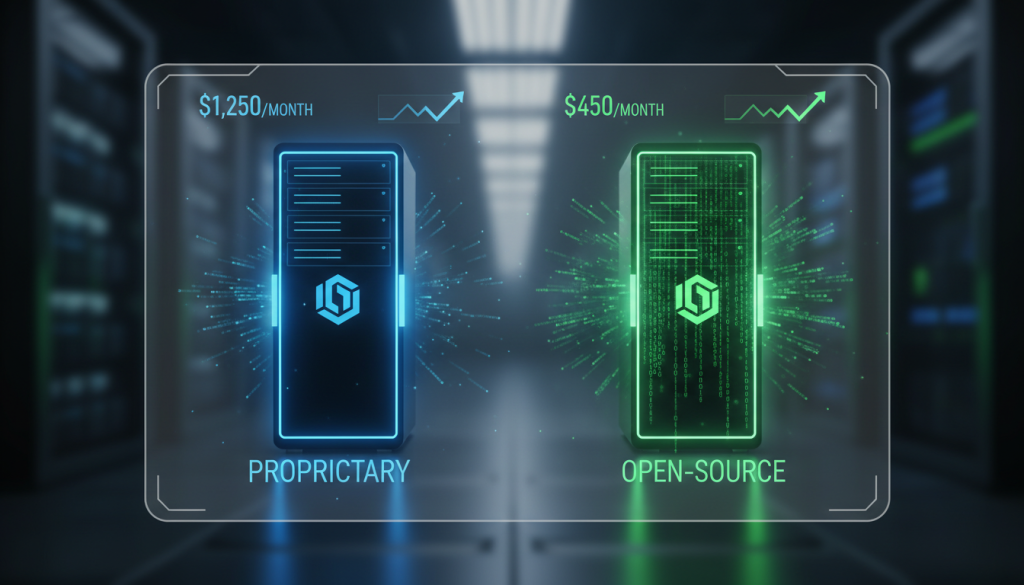
Traditional automation platforms charge you for every single “step.” If you have a workflow that checks 1,000 leads daily, enriches them via AI, and updates a CRM, you could be looking at 5,000 tasks per day. On Zapier, this could cost you $1,500+ per month. On a self-hosted n8n instance running on a $20/month VPS (Virtual Private Server), the cost is fixed. Your ROI increases exponentially as your volume grows.
2. Beyond Linear Logic: The Node-Based Advantage
n8n uses a Fair-Code graph-based UI. Unlike the vertical “top-to-bottom” logic of Zapier, n8n allows for complex branching, merging, and looping. This is critical for building “Thinking Workflows” where the path taken depends on real-time data analysis.
II. Technical Architecture: Setting Up for Global Scale
To showcase true expertise, your n8n setup shouldn’t be a local install on a laptop. It needs to be a Production-Grade Environment.
1. The Docker-Compose Blueprint
For maximum stability and portability, n8n must be deployed using Docker. This allows you to isolate the application from the server’s operating system.
- Database: Use PostgreSQL instead of the default SQLite. PostgreSQL handles concurrent requests much better, which is vital when running 50+ workflows simultaneously.
- Persistence: Ensure all data (credentials and workflow definitions) is stored in a persistent Docker volume, allowing for easy server migrations.
2. Security & Encryption
Running your own automation engine means you are responsible for your API keys.
- Reverse Proxy: Deploy Traefik or Nginx Proxy Manager with Let’s Encrypt. This ensures all traffic to your n8n dashboard is encrypted via SSL (HTTPS).
- Environment Variables: Never hardcode sensitive data. Use n8n’s internal credential manager and set an
N8N_ENCRYPTION_KEYin your environment files to protect your database in case of a breach.
III. Advanced Workflow Engineering: The “Agentic” Approach
The real power of n8n in 2026 is its ability to act as an AI Orchestrator. We no longer build “if-this-then-that” flows; we build Autonomous Loops.
1. The “Wait and Retry” Logic
In traditional tools, if an API fails, the workflow dies. In n8n, we implement Error Trigger Nodes. If an AI model like GPT-4o times out, n8n can catch the error, wait 60 seconds, and retry the request. This “Self-Healing” capability is what separates amateur setups from enterprise systems.
2. Binary Data Handling (The “Secret Sauce”)
n8n is one of the few platforms that handles Binary Data (images, PDFs, videos) natively and efficiently.
- Expert Use Case: An automation that monitors an email inbox for invoices. n8n picks up the PDF, sends it to an OCR agent, verifies the amounts against a Google Sheet, generates a payment confirmation image via the Photoshop-IA node, and uploads it to a cloud drive.
3. The LangChain Integration
n8n now features native LangChain nodes. This allows you to build sophisticated AI Agents directly in the canvas. You can give your workflows “Memory” (via Vector Databases like Pinecone or Weaviate), allowing the automation to remember previous interactions with a specific client.
IV. Case Study: The 1-Million Task Workflow
To demonstrate the power of this setup, let’s look at a “Lead Intelligence” engine built for a B2B SaaS client:
- Trigger: A daily cron job scans 10,000 new domain registrations.
- Filter: An n8n “HTTP Request” node pings the websites to check for specific keywords.
- Enrich: The filtered list is sent to an AI Agent that researches the founders’ names and recent news.
- Action: Personalized emails are drafted and sent to a “Human-in-the-loop” approval queue in n8n. Cost on Zapier: Over $5,000/month. Cost on Self-Hosted n8n: $45/month (Server + AI API costs).
V. Governance and Maintenance at Scale
An expert n8n user knows that building is only 50% of the job. Maintenance is the other 50%.
- Version Control: Use the n8n Git integration. Every time you change a workflow, it should be pushed to a GitHub repository. This allows for “Rollbacks” if a new update breaks the system.
- Monitoring: Connect your n8n instance to a monitoring tool like UptimeRobot. If your server goes down, you need to know within seconds, not when a client calls.
- Log Management: n8n can generate a lot of logs. Set up an automated cleanup task to delete execution history older than 7 days to prevent your server’s hard drive from filling up.
VI. Conclusion: Reclaiming Your Technological Sovereignty
Mastering n8n is not just about learning a new tool; it is about reclaiming your Technological Sovereignty. By removing the financial constraints of “pay-per-task” models, you enable your company to experiment, innovate, and automate at a speed that was previously impossible.
In the age of AI, the orchestrator is the king. By building your growth on n8n, you are ensuring that your business is not just automated, but optimized for the infinite scalability of tomorrow.
Master the Full Ecosystem:
- The Architecture of Growth: Our Main Strategy for 2026 – Learn how this n8n setup fits into the global “Flywheel” model.
- The Era of Manus Agents: Autonomous Prospecting Guide – How to connect your n8n workflows to autonomous agents for 100% hands-free sales.
- Generative Design & SEO: Scaling Visual Content – Using n8n to trigger automated image creation with Photoshop and ChatGPT.
- 2026 Data Strategy: Ensuring Data Quality – Why your automation is only as good as the data cleaning workflows you build in n8n.