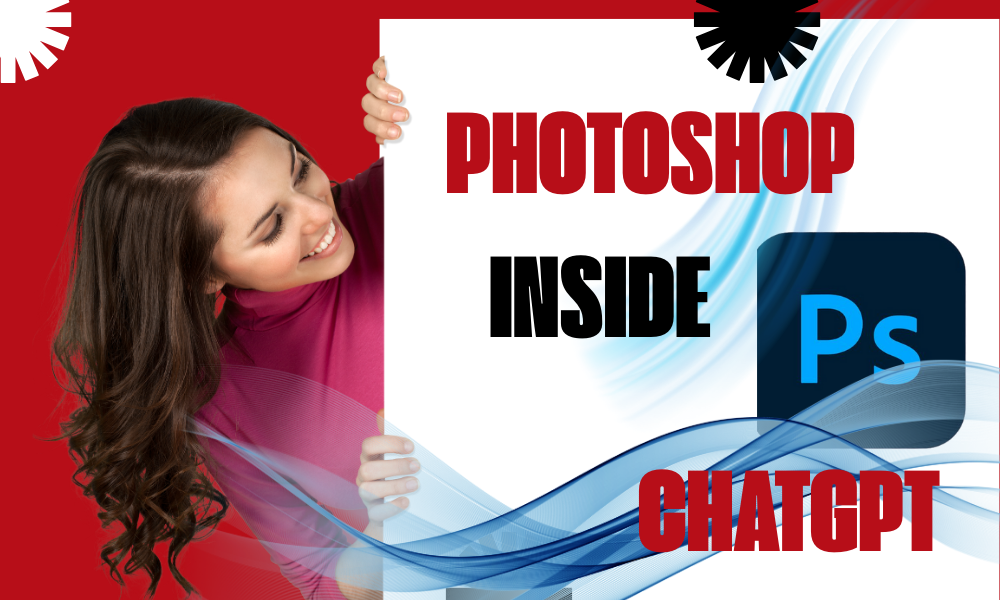
Photoshop inside chatgpt is one of the most important topics in AI and automation in 2026. For decades, the name “Photoshop” was synonymous with steep learning curves and professional elitism. Today, that wall has been torn down. The integration of Adobe Photoshop’s engine within ChatGPT represents a genetic mutation of digital creativity. At aiwiner.com, we’ve pushed this synergy to its limits. This guide is your roadmap to the new design landscape.
I. The Genesis of a Revolution: Why This Integration Matters
For years, AI design suffered from two major flaws: lack of precision and the inability to edit. You could generate a beautiful image, but you couldn’t move a single object, change a specific color, or fix a typo without regenerating the entire thing from scratch.
The integration of Photoshop into ChatGPT solves this by bringing surgical layer-based precision to AI’s semantic power. You no longer just “generate”; you “direct.” This is the shift from AI as a toy to AI as a professional workstation.
II. The 5 Technical Pillars of the Integration
1. Conversational Generative Fill
This is the star feature. Using GPT-4o’s natural language understanding, you can describe complex modifications in plain English.
- The Process: You highlight an area (or ask GPT to find it) and say: “Add a morning mist over the lake, but keep the mountain’s reflection crystal clear.”
- The Technical Edge: Unlike basic AI filters, Photoshop analyzes depth of field, light sources, and global illumination to ensure the added element is indistinguishable from a real photograph.
2. Intelligent Layer-Based Editing
This is the “killer feature” that separates this tool from Midjourney or DALL-E. Instead of a flat pixel file, ChatGPT can now drive the creation of layers.
- You can ask to isolate the subject from the background or place a new object behind an existing one.
- This allows for the export of native .PSD files, meaning you can start a project in ChatGPT and finish it in the desktop version of Photoshop with total control.
3. Professional Outpainting (Generative Expand)
Imagine you have a vertical portrait that you need for a YouTube banner (16:9). ChatGPT uses Photoshop’s Outpainting algorithms to extend the canvas. It doesn’t just “guess” pixels; it understands the logic of the scene—extending roads, forests, or star-filled skies while maintaining the original lens distortion and grain.
4. Contextual Color Grading
You can now use commands like: “Apply a 1950s ‘Film Noir’ color grade to this scene.” ChatGPT leverages Adobe’s Camera Raw engine to adjust blacks, contrasts, and film grain non-destructively, ensuring your visuals have a high-end cinematic feel.
5. High-Fidelity Typography
AI has finally learned to read and write. By utilizing the Adobe Fonts library, ChatGPT can place perfectly crisp, editable text onto your designs. No more “AI gibberish.” You can specify font weight, kerning, and even apply 3D effects—all through chat.
III. Professional Use Cases: Impacting Your Bottom Line
For E-commerce Entrepreneurs
Take a simple smartphone photo of your product on a kitchen table. With this integration, you can:
- Instantly remove the background.
- Place the product in a luxury setting (marble countertops, studio lighting).
- Generate 10 seasonal variations (Christmas, Summer, Black Friday) in minutes.ROI: You save thousands of dollars on professional studio photography and hours of manual clipping.
For Bloggers and SEO Agencies
Modern SEO requires unique, high-quality images. This integration allows you to create complex infographics just by describing them. The text is sharp, the colors are optimized for web performance (WebP), and the metadata is automatically injected to help your rankings.
IV. Comparative Analysis: ChatGPT + Photoshop vs. The World
| Feature | ChatGPT + Photoshop | Midjourney | Canva Magic Studio |
| Precision | Surgical (via AI Lasso) | Random | Moderate |
| Editability | Yes (Layers/PSD) | No (Regenerate only) | Limited |
| Typography | Perfect (Adobe Fonts) | Often garbled | Good but basic |
| Export Format | .PSD, .PNG, .JPG, .WebP | .PNG, .JPG | .JPG, .PDF |
V. The Future: Total Automation (n8n + Photoshop)
The ultimate “Endgame” for aiwiner.com readers is connecting this power to n8n. Imagine an automated pipeline where:
- Your editorial calendar triggers a new topic.
- ChatGPT writes the long-form article.
- The Photoshop API creates three different visual assets, optimizes them for SEO, and publishes them to WordPress.This isn’t science fiction; it is the workflow we are building today.
VI. Conclusion: Do You Still Need to Learn Photoshop?
The answer is YES, but the way you learn it has changed. You no longer need to spend hours mastering the “Pen Tool.” You need to become a Vision Engineer. Your value now lies in your ability to describe artistic intent and guide the AI to achieve perfection.
🔗 Push Your Productivity to the Limit:
- 👉 How to Use Photoshop Inside ChatGPT: A Step-by-Step Guide for Beginners
- 👉 Photoshop in ChatGPT vs Canva: Which AI Design Tool Should You Choose?
- 👉 The Best Prompts for Editing Images with Photoshop in ChatGPT
- 👉 Using Photoshop Inside ChatGPT for SEO: How to Create Images That Rank
- 👉Everything you need to know about n8n: The creator’s ultimate tool
- 👉The AI Battle: GPT-Image 1.5 vs Nano Banana Pro