
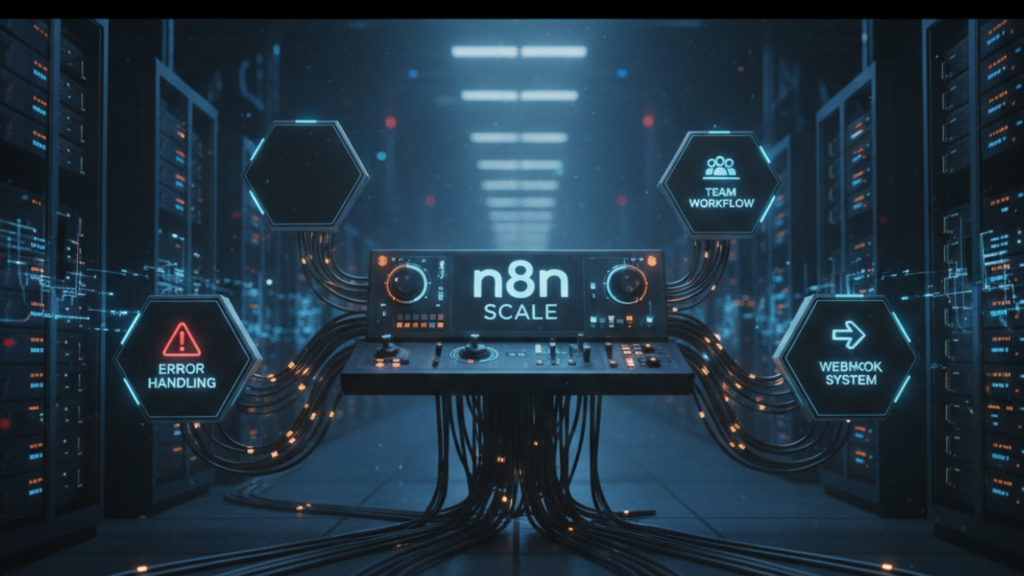
You’ve deployed n8n. Your first workflows are humming along. The automation engine is running. Congratulations! That’s a huge first step. But now what? How do you move from a few handy scripts to a robust, reliable automation system? How do you work with your team without creating chaos? This is your logical next step. This guide dives into the advanced practices that transform n8n from a cool tool into a critical business system. We’ll cover workflow optimization, team collaboration, error-proofing, and scaling strategies. Let’s build on your foundation and engineer success.
Part 1: From Working to Robust – Engineering Reliable Workflows
A workflow that works once is a prototype. A workflow that works a thousand times without fail is a product. Here’s how to bridge that gap.
1. The Art of Error Handling & Debugging
Errors will happen. APIs change. Services go down. Your job isn’t to prevent all errors—it’s to handle them gracefully.
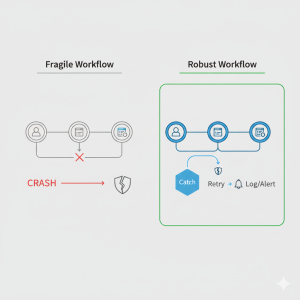
- Strategic Use of the “Catch” Node: Don’t just let workflows fail silently. Every critical path should have a Catch node. Route errors to a dedicated error-handling branch. Log the issue to a database, send an alert to a Slack channel, or retry the operation after a delay.
- Example: A workflow fetching data from an external API should have a Catch node that, on failure, sends a formatted alert:
". API Fetch Failed for Workflow X. Error: {{ $json.error.message }}"
- Example: A workflow fetching data from an external API should have a Catch node that, on failure, sends a formatted alert:
- Strategic Use of the “Catch” Node: Don’t just let workflows fail silently. Every critical path should have a Catch node. Route errors to a dedicated error-handling branch. Log the issue to a database, send an alert to a Slack channel, or retry the operation after a delay.
 API Fetch Failed for Workflow X. Error: {{ $json.error.message }}"
- Master Execution Logs: When something goes wrong, the execution list is your crime scene. Filter by “error” status. Drill into the failed execution to see the exact node where it stopped and the data it was processing. This is your fastest path to a fix.
- Implement Thoughtful Retries: Use the “Wait” node and “Split In Batches” node to build retry logic. If a step fails, route it through a loop that waits 5 minutes and tries again (up to a sensible limit) before finally marking it as a true failure.
2. Optimizing for Performance & Cost
As your workflow count grows, efficiency matters. It affects speed and, if you’re using paid APIs, cost.
- Reduce API Calls: Every call to an external service takes time and potentially money. Use the “Aggregate” node to batch operations. Instead of sending 100 individual emails, batch them into one API call to your email service. Cache frequent, non-changing data in a variable or a small database.
- Control Execution Flow: Not every node needs to run on every execution. Use “IF” nodes as gates. For example: “IF the incoming data field ‘priority’ is ‘high’, THEN send a Slack alert. Otherwise, skip to the next step.” This prevents unnecessary processing.
- Schedule Intelligently: A workflow polling an API every minute is wasteful if data only changes hourly. Match your Schedule Trigger frequency to the actual need. For event-driven processes, prefer webhooks (where the external service calls n8n) over polling (where n8n constantly asks).
Part 2: Team Play – Collaboration & Governance in n8n
n8n stops being a personal tool and becomes a team asset. This requires new rules and structures.
1. Establishing a Team Workflow (The “Git” Model)
Directly editing live, production workflows is risky. Adopt a development workflow.
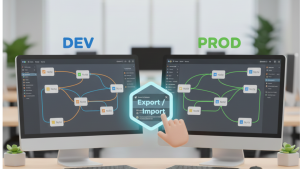
- Environment Strategy: Maintain at least two n8n instances:
- Development/Staging: Where you build and test new workflows. This can be a shared cloud server or even local instances.
- Production: The stable, always-on instance running your critical business automations.
- Environment Strategy: Maintain at least two n8n instances:
- The Promotion Path: Build and test in Dev. Once verified, use n8n’s workflow export/import feature (via JSON) to migrate it to Production. This prevents breaking live automations.
2. Documentation & Naming Conventions
In a team, your workflow must be understood by others (or by you in 6 months).
- Descriptive Names: A workflow named “Process” is useless. Name it “CRM: Sync New HubSpot Contacts to Airtable & Send Welcome Email”.
- Use Note Nodes Liberally: The “Note” node is your best friend for in-workflow documentation. Use it to explain complex logic, list prerequisite setup, or document API keys needed.

- Maintain a Central Registry: Use a simple shared document (like a Notion page or Google Sheet) to list all production workflows: Name, Purpose, Owner, Trigger Schedule, and Links to documentation.
3. Managing Credentials Securely
Sharing passwords in plain text is a security nightmare. n8n’s built-in Credential System is the solution.
- Shared Credentials: In your team n8n instance, the admin can create a credential (e.g., for the company SendGrid account). Any team member can use this credential in their workflows without ever seeing the actual API key.
- Principle of Least Privilege: Create credentials with only the permissions needed. A workflow that only reads from a database should use a “read-only” user credential, not the admin password.
Part 3: The Scaling Mindset – Connecting Your Automation Ecosystem
True power comes from connecting workflows into a coordinated system.
1. Building Modular & Reusable Workflows
Don’t build monolithic, giant workflows. Build small, single-purpose modules.
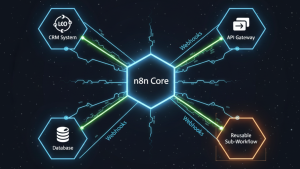
- The Sub-workflow Pattern: Create a generic, reusable workflow that does one common task well—like “Format User Data to Company Standard” or “Validate Email Address & Check Against Blocklist”. You can then call this as a sub-workflow from multiple primary workflows. This is the “DRY” (Don’t Repeat Yourself) principle for automation.
2. Using Webhooks as a Central Nervous System
Webhooks turn n8n from an isolated tool into the central brain of your ops.
- Internal Event-Driven Architecture: Have one workflow finish a task? It can send a webhook call to trigger three other workflows. Example: A “New Customer Onboarded” workflow finishes, then triggers separate, specialized workflows for “Provision Software License,” “Add to Email Sequence,” and “Create Support Ticket.” This keeps workflows lean, focused, and decoupled.
Conclusion: Your Automation Platform is Now Operational
You’ve moved beyond basics. You’re now designing for reliability, collaboration, and scale. This transforms n8n from a departmental tool into a legitimate, low-code automation platform for your entire team.
With these practices, you have a system that can grow with your ambitions. Your team can collaborate safely. Your automations can handle the unexpected. This is the stage where the ROI on your time investment multiplies dramatically.
This journey from deployment to scale has a natural next frontier: creating sophisticated, intelligent automations. Once your foundation is this solid, you’re ready to integrate advanced AI not just as a one-off tool, but as a core component of your workflow ecosystem.
 See this advanced, systems-thinking in action. Explore our tutorial on building a fully automated, AI-powered “Image Factory”: Tutorial: Building Your “Image Factory” with n8n and GPT-Image 1.5. It’s a perfect case study of modular, event-driven design—where a webhook, a sub-process, and error handling come together to create a powerful, reliable business utility.
Build with intention. Scale with confidence.