


How to Automate Your Client Communication with AI (And Never Miss a Follow-Up Again)
How-to-automate-client-communication-ai is one of the most important topics in AI and automation in 2026. “If you want to know how to Automate Client Communication with AI, you are in the right place. Manual follow-ups are time-consuming, but using the right systems can change your workflow forever.”
Client communication is the thing that eats your day without asking permission. You open your inbox in the morning and find ten messages waiting. You answer one, three more appear. By the end of the day you feel like you worked hard but got nothing real done.
That’s not a time problem. That’s a systems problem.
I spent a long time writing the same sentences over and over. “Thanks for reaching out, I’ll send you the proposal within 24 hours.” “The project will take about two weeks.” “Pricing starts at…” The same words, hundreds of times. Until I realized that any sentence I’d written more than three times should never be written by hand again.
Why you should Automate Client Communication with AI in 2026
Most people think client communication takes them thirty minutes a day. The reality is different. A single reply isn’t just two minutes of typing — there’s the time to open the inbox, read the message, think about the right response, write it, review it, and then the transition cost of getting back to whatever you were doing, which alone eats ten minutes of focus.
Multiply that across ten messages a day and you’re losing two to three hours every single day on tasks that a system could handle instead of you.
What Can Actually Be Automated
Not every client interaction should be automated — and honestly, not every one can be. Negotiating a big contract needs real human presence. But there are three types of communication that represent more than seventy percent of your daily inbox and can be automated cleanly.
The first is the initial response to any new client. This message always contains the same elements — a thank you, a confirmation that you received their message, and an expected timeline for your full response. With AI, this reply can be personalized to each client and sent within seconds of their message arriving.
The second is sending proposals. Most proposals follow the same structure with different numbers and details. A simple workflow takes the client’s information, fills in your proposal template, and sends it automatically. You review before it goes out, or you don’t — that’s your call once you trust the system.
The third is follow-ups. “Just wanted to make sure you received the proposal.” “Do you have any questions?” These messages get forgotten constantly, and they have a significant impact on closing deals. An automated follow-up system remembers what you forget.
How to Build the System, Step by Step
The first step is building a response library. Sit down for one hour and write out every message you’ve sent more than three times in the past few months. These are the building blocks of your system. Don’t touch any tool until this library exists. Most people skip this step and then wonder why their automation feels generic.
The second step is improving those responses with AI. Take each message from your library and give it to Claude or GPT-4o with clear instructions — the tone you want, the information that needs to change per client, the right length. You’ll come out with something better than what you were writing manually. If you want to understand the difference between Claude and GPT-4o for business communication specifically, I broke that down in detail in Claude 3.5 Sonnet vs GPT-4o: Which Brain Scales Better for CRM Automation.
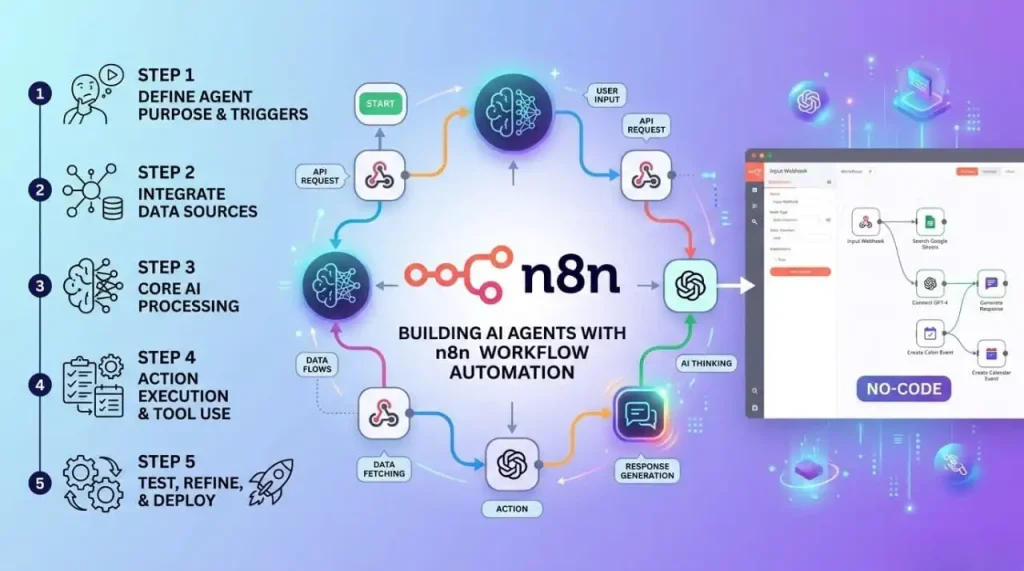
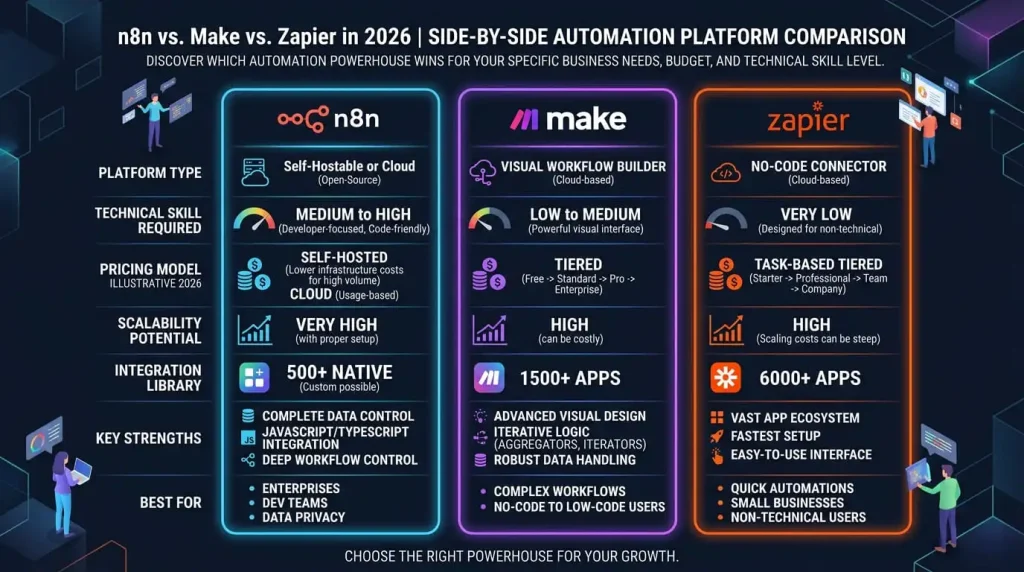
The third step is connecting everything together. This is where Make comes in. You build a workflow that monitors your inbox, identifies the type of incoming message, selects the right response from your library, personalizes it with AI, and sends it. All of this happens in under a minute without you touching a keyboard. If you’re weighing Make against Zapier and not sure which one fits your setup, I covered that comparison in Make vs Zapier: Which Automation Tool is Actually Worth It in 2026.
The fourth step is building the follow-up sequence. After any proposal goes out, a timer starts automatically. Forty-eight hours with no reply triggers a follow-up. Five days, another one. A week, a final message. You don’t think about any of this. The system tracks it so you don’t have to.
What Happens After You Build It
The first week after setting this up feels strange. You open your inbox and find that most responses already went out without you. There’s something that feels almost uncomfortable about it — are the replies good enough? Does it feel too automated?
Then a client calls and says “I really appreciated how quickly you got back to me.” And you were asleep when that reply went out.
That’s the point. Not to work less — but to be more present in the places that actually need you. For the complete picture of how this fits into a fully automated business, the full breakdown is in The Complete Guide to AI Ahttps://aiwiner.com/ai-automation-workflows/utomation and Workflows in 2026.
Going Deeper From Here
Once your communication is running on autopilot, the next logical step is your content. The same principle applies — identify what repeats, build a system around it, let it run. I walked through exactly how to do that in How to Build a Content Automation Workflow from Scratch.
If data and reporting is where you’re still spending manual hours, that’s covered in How to Automate Your Data and Reporting with AI.
And if you’re completely new to building workflows and want to start with something small and achievable before tackling a full communication system, start with The Beginner’s First Workflow: From Zero to Automated in One Day.
FAQ
Will my clients know the response was automated? If you build it right, no. The difference between automation that feels robotic and automation that feels human is personalization. A reply that references the client’s name, their specific project, and the context of their message doesn’t feel automated — even when it is.
Where do I start if I’ve never used Make before? Start simpler. Gmail filters and Canned Responses are free, built into Gmail, and will save you time before you ever touch Make. Get comfortable with the concept of templated responses first, then graduate to full workflow automation.
Does this work for freelancers or only for larger businesses? Freelancers benefit more than anyone. A business has someone whose job is answering emails. A freelancer does everything alone — this system gives them their time back.
What if the system sends the wrong reply? Every good system goes through a review phase at the start. The first week, you review every reply before it sends. The second week, you check half of them. After a month, you trust it and only intervene when something unusual comes through.
How long does it take to build this? One day for the basic setup. One week to tune and improve it. After that it runs on its own.
Your inbox is not your job. Build the system this week, then get back to the work that actually matters.

Comments are closed.