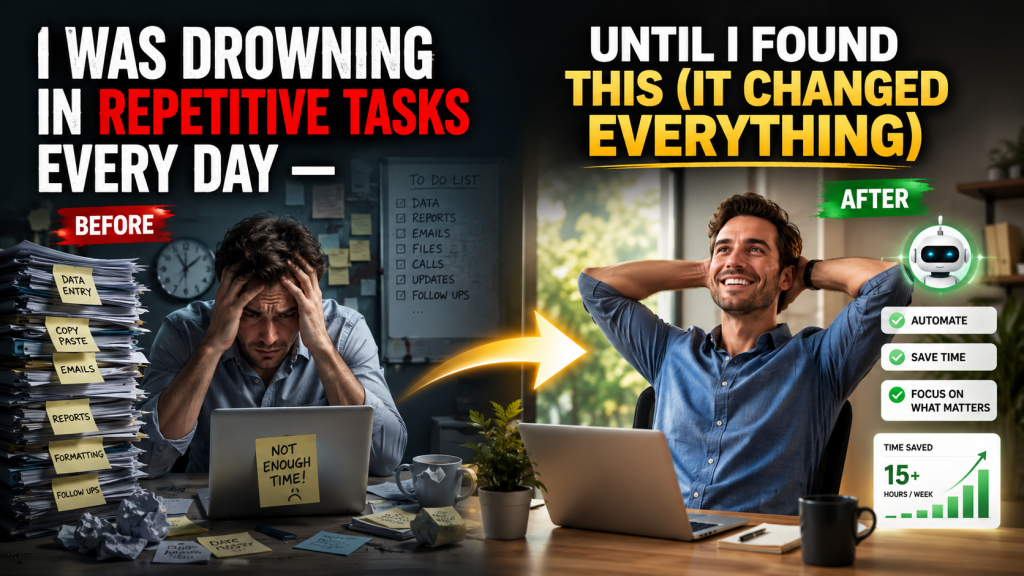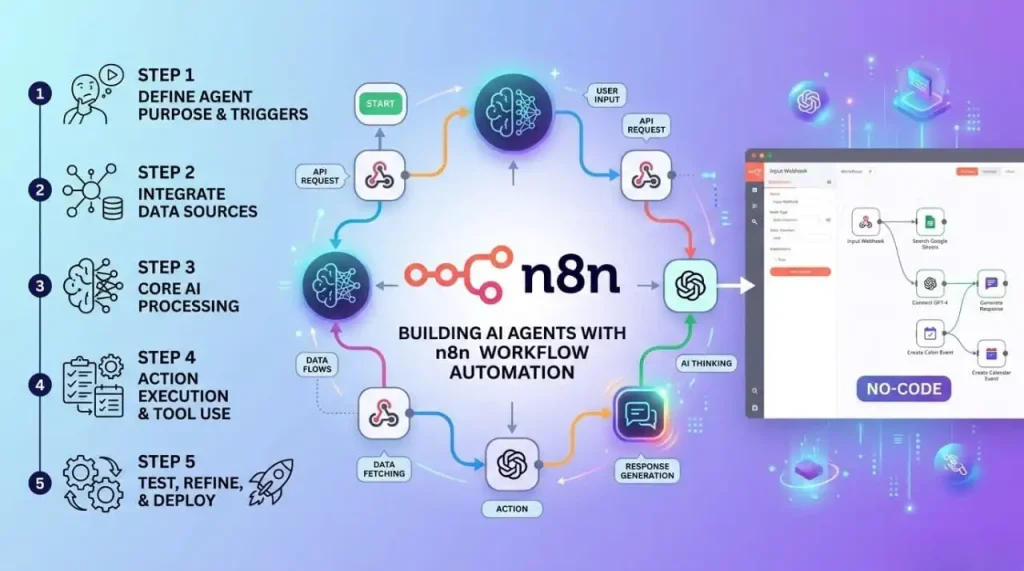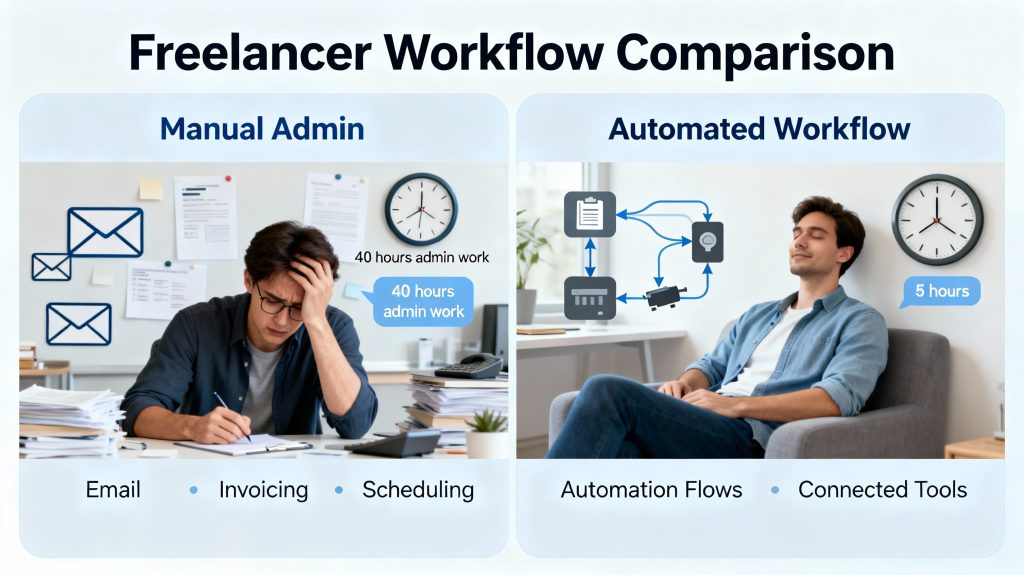
Spot, design launch first is one of the most important topics in AI and automation in 2026. Automation isn’t new. Factories have been using it for a century. But somewhere along the way, the concept got trapped in the world of enterprise software and engineering teams. Most people think automation is something for big companies with IT departments, not for freelancers, small business owners, or anyone just trying to get through their day.
That’s wrong.
The truth is simpler: automation is just a system that does repetitive work for you. No coding required. No expensive software. No six-month implementation. You can build your first automation in an afternoon using free or cheap tools that anyone can learn.
The hard part isn’t building automations. The hard part is knowing where to start. Most people jump into tools without understanding the bigger picture. They automate something random, it breaks, and they assume the whole thing is too complicated. Then they go back to doing everything manually.
This guide changes that. We’re going to walk through the complete process: how to spot what’s worth automating, how to design it properly, which tools to use, and how to launch it without breaking anything. By the end, you’ll have built your first real automation, and you’ll understand how to build ten more.
How to Spot Your First Automation Opportunity
Before you touch any tool, you need to understand your workflow. Most people don’t. They move through their day on autopilot, doing the same tasks repeatedly without ever stopping to ask whether those tasks should exist at all.
The audit is where you change that.
Spend one week tracking everything you do that feels repetitive. Write it down. Don’t filter. Include the small stuff: sending the same email, copying data between apps, creating invoices from templates, scheduling posts, logging expenses, updating status reports. The goal isn’t to build a perfect list. It’s to see patterns you normally miss.
What you’re looking for are tasks that meet three criteria. First, they happen regularly. Weekly, daily, or multiple times a day. Second, they follow the exact same process every time. Step A, then B, then C. Always the same. Third, they don’t require real thinking or decision-making. They’re mechanical.
Avoid anything that needs your judgment. Automation is about removing repetition, not replacing your brain.
Once you’ve listed your repetitive tasks, measure them. Pick your top five and time yourself doing each one three times. Write down the results. This feels tedious, but it takes twenty minutes and it gives you real data instead of guesses. You’ll probably find that some tasks take longer than you thought. You’ve been doing them so long that you stopped noticing the time drain.
Look for patterns within patterns. Processing an order leads to sending a confirmation email, which leads to creating an invoice, which leads to sending a payment reminder. These chains are where automation creates the most value. One trigger starts a whole sequence automatically. What took you thirty minutes happens instantly.
Not all repetitive tasks are equal. Some are mildly annoying. Others genuinely interrupt your focus and destroy your productivity. Prioritize the painful ones first. They might not take the most total time, but they create the most friction.
Finally, screen for feasibility. The easiest tasks to automate involve moving data between tools: email to spreadsheet, form to CRM, template to email. Tasks requiring decisions are harder. Tasks requiring nuance or creativity are nearly impossible. Be honest. If something needs your personal judgment, it’s not a good automation target.
By the end of this audit, you should have three to five high-priority tasks. Rank them by impact. Which would improve your day the most if it disappeared? Start there.
Related: If you want a detailed walkthrough of this audit process, our guide on spotting automation opportunities gives you a framework and real examples.
Design Your Automation Systematically
Most automation failures happen because people skip this step. They have an idea, jump straight to the tool, and end up with something messy that breaks or doesn’t actually save time.
Good automation starts with design. You don’t need fancy diagrams or technical knowledge. You need to understand four things: trigger, condition, action, and review.
A trigger is the event that starts your workflow. A new email arrives. A form gets submitted. A date on your calendar comes up. Something happens, and that something kicks everything off.
A condition is a filter. Not every trigger should start the same action. You might want to automate emails from clients, but not newsletters. You might want to log expenses over $50, but ignore small ones. Conditions let you say “yes, do this” or “no, skip it.”
An action is what actually happens. Send an email. Create a spreadsheet row. Generate an invoice. Update a database. Whatever needs to happen, happens automatically.
A review is the part people forget about. What happens if something breaks? What alerts do you get? How do you know the automation worked? Who checks for errors? Build this in from the start.
Here’s a real example. Let’s say you want to automate new customer signups.
Trigger: new form submission
Condition: payment was successful
Action: send welcome email, create customer record, schedule follow-up call
Review: log the result, flag any errors
That’s it. That’s the structure. No code. No complexity. Just a clear sequence of events.
The best part about designing before building is that you catch problems early. You realize you need data you don’t have. Or the condition is impossible. Or the action doesn’t actually solve the problem. Better to figure this out now than after you’ve spent hours building something.
Write down your design. Use simple language. Show it to someone else. If they can’t understand it, it’s not clear enough. Clarity at this stage prevents headaches later.
Related: For a detailed breakdown of this framework with step-by-step instructions, read our guide on designing automation workflows.
Choose the Right Tools (No-Code Platforms)
You’ve spotted your automation opportunity. You’ve designed it. Now you need a platform to build it on.
The good news is you have options. The bad news is people overcomplicate this decision. They get lost comparing features and miss the bigger picture: the best tool for you is the one you’ll actually use.
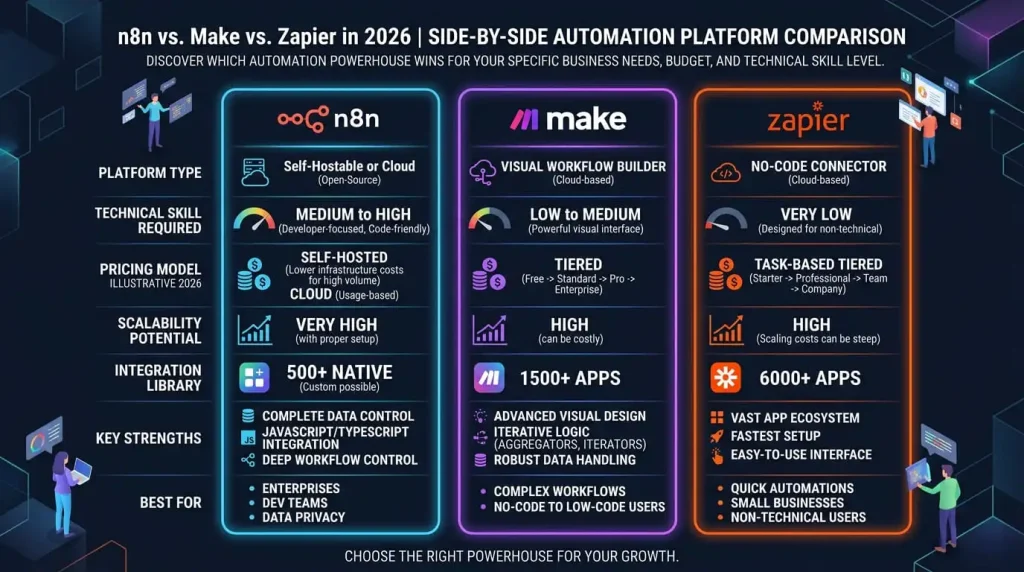
Zapier is the market leader. It connects to thousands of apps, it’s beginner-friendly, and the documentation is solid. Most people start here because it just works. The free tier lets you build basic automations. Paid plans are reasonable. Zapier is the safe choice, and honestly, most people never need to go beyond it.
Make (formerly Integromat) is the power-user option. It has more advanced features, more flexibility, and deeper integrations. If Zapier feels limiting, Make probably won’t. The downside is the learning curve is steeper. It takes longer to build your first automation, but once you understand it, you can build almost anything. Make is worth learning, but probably not as your starting point.
IFTTT is the simplest option. It’s free, it works with hundreds of apps, and it’s genuinely easy to use. The trade-off is that it’s less powerful. You can’t do complex workflows. But for basic automations, it’s perfect. It’s also the cheapest option by far.
Pabbly is the underdog. It’s cheaper than Zapier, it connects to many apps, and it works well for people building lots of automations on a budget. If cost is your main concern, Pabbly is worth looking at.
Here’s how to actually choose. Start with your automation idea. Do a quick check: does Zapier support the apps you need? Does IFTTT? Most people find Zapier works. If it does, start there. It’s not the fanciest option, but it’s reliable and you’ll find tutorials for almost everything.
Don’t optimize for features you don’t need yet. You’ll learn what you need as you build. Pick the simplest option that handles your immediate task.
Related: For a detailed comparison including pricing, ease of use, and when to use each platform, check our breakdown of no-code platforms.
Set Up Your First Automation (Step-by-Step Tutorial)
Theory is fine. But you need to actually build something.
Let’s walk through a real automation that most people need: emails going straight into a spreadsheet. No copy-paste. No manual entry. Every email that matches your criteria automatically appears in your sheet.
Here’s the setup.
Create a Gmail label called “Auto-Log” and set up a filter to apply it to specific emails. You could filter by sender, subject line, keywords, or anything else. This is your trigger: emails that match these criteria get labeled.
Open Zapier and create a new automation. The trigger is “new labeled email in Gmail.” Zapier will ask you to authenticate your Gmail account, then select the label you just created.
The action is “create spreadsheet row in Google Sheets.” Zapier will ask which spreadsheet and which columns to fill. Map the email data: sender goes to column A, subject to column B, body to column C, date to column D. Whatever makes sense for what you’re tracking.
Test it. Send yourself a test email that matches the filter. Check your spreadsheet. It should appear automatically within a minute.
If it works, enable the automation. Now every matching email automatically logs itself. Done.
That’s the complete process. No coding. No complexity. Just connecting one app to another and telling it what to do.
The hardest part for most people is the first time. Doing it the second time takes half the effort. By your third automation, you’ll be comfortable.
Start simple. Don’t try to build the perfect complex workflow on your first try. Build something that works. Get comfortable with the tools. Then expand.
Related: For screenshots, detailed field-by-field setup instructions, and troubleshooting tips, our step-by-step automation tutorial walks you through this and similar examples.
Common Mistakes to Avoid
Most automation problems aren’t complicated. They’re predictable mistakes that people make because they skip certain steps.
Over-automating is number one. You automate something that takes thirty seconds to do manually. Then you spend an hour building it. The time math doesn’t work. Automation is valuable when it saves significant time or eliminates painful friction. Automate the things that genuinely bother you, not everything.
Not testing before going live is number two. You build your automation and turn it on without checking if it works. Then something breaks and you don’t notice for days. Test everything first. Send a test email. Check the output. Make sure it works exactly as intended before you rely on it.
Ignoring error handling is number three. What happens when something goes wrong? A user enters bad data. A third-party service goes down. Your automation breaks and no one knows. Build in monitoring. Set up alerts. Log what happens. If something breaks, you need to know immediately.
Poor documentation is number four. You build an automation. Three months later, you forget what it does or how it works. Someone else joins your team and has no idea. Write down what each automation does, why it exists, and what to do if it breaks. Simple documentation takes ten minutes and saves hours of confusion later.
Changing requirements without updating automations is number five. Your process evolves. The automation still follows the old process. Now it’s creating problems instead of solving them. Review your automations regularly. If your process changed, update the automation.
Letting costs creep is number six. You build five automations and suddenly your tool bill is $500 a month. Some tools charge per automation, some per action. You need to understand your billing model. Monitor your usage. Some automations might not be worth keeping if the cost outweighs the benefit.
Not telling your team is number seven. You automate something that affects how other people work, but you don’t tell them. They’re confused about what’s happening. They bypass the automation and do things manually. Communication matters. If an automation affects someone else, explain it to them.
These aren’t technical mistakes. They’re process mistakes. Avoiding them means automations work for you instead of becoming a burden.
Related: For real examples of each mistake and how to fix it, our guide on automation mistakes goes deeper into each one.
Scale Your Automations Without Breaking Them
One automation is a novelty. Ten is valuable. Fifty is where most people lose control.
Your costs climb. Workflows start conflicting. You can’t remember what each automation does. Dependencies break because you didn’t realize one automation fed data into another.
Scaling requires a different mindset. You’re no longer building one-off solutions. You’re building a system.
Start with documentation. Create a simple spreadsheet listing every automation: what it does, which apps it uses, why it exists, who owns it, when it runs, and what happens if it breaks. Update this as you add automations. It takes five minutes per automation and it saves hours of confusion later.
Implement monitoring. You need to know when something breaks. Most automation platforms let you log results. Do it. Set up email alerts for errors. Check your logs weekly. If something’s broken, fix it before it cascades into other problems.
Think about data flow. Automations don’t exist in isolation. One automation might feed data that another automation uses. If the first breaks, the second breaks. Map these dependencies. Know which automations feed into which. If you change one, you know what else might be affected.
Control costs. Your bill adds up faster than you expect. Know how many actions you’re using. Know what your platform charges for. Some actions are expensive. Some automations run constantly. Review your usage monthly. Kill automations that aren’t delivering value anymore.
Build incrementally. Don’t try to automate everything at once. Add automations gradually. Get comfortable with each one before adding the next. This prevents the chaos of managing fifty broken workflows at once.
Document interdependencies. Note which automations depend on which apps, which automations feed into others, what data flows where. Visual diagrams help. Even simple text documentation is better than nothing.
Test changes before deploying. If you modify an automation that other automations depend on, test the whole chain first. Don’t go live with something until you’re confident it won’t break downstream processes.
The difference between a team with three useful automations and a team with thirty chaos-inducing automations is organization. The technical stuff is the same. What matters is tracking, monitoring, and maintaining what you’ve built.
Related: For detailed strategies on managing multiple automations, cost optimization, and scaling without breaking things, our guide on scaling automation systems covers the full process.
Conclusion
Automation looks intimidating from the outside. But the process is straightforward: spot the opportunity, design the workflow, pick a tool, build it, and maintain it.
You don’t need technical skills. You don’t need to spend money on expensive software. You need to understand the fundamentals and actually do it.
Most people read about automation and never build anything. The real value comes from getting started. Your first automation won’t be perfect. It might be small. It might save you five hours a year instead of fifty. It doesn’t matter. What matters is proving to yourself that it works, that you can build it, and that you’re comfortable doing it again.
Once you’ve built one automation successfully, the next one is easier. By your fifth, you’ll be designing automations without thinking about it. By your tenth, you’ll wonder how you ever lived without them.
The best time to start was a year ago. The second-best time is today.
If you’re ready to move from spotting opportunities to actually building workflows, our step-by-step automation tutorial walks you through your first real automation with screenshots and exact setup instructions. You’ll have your first workflow running by the end of today.