How to integrate ai into your is one of the most important topics in AI and automation in 2026. Many freelancers struggle because they try to do too much at once. If you want to integrate AI into your routine without the constant stress of new updates, you need a focused, simple approach that enhances your flow rather than disrupting it.
Many freelancers I talk to tell me the same thing:
“I’d love to use AI… but I’m afraid I’ll drown in tools, settings, and constant updates.”
I get it. Two years ago, I was right there. I tried a new tool every week, attempted to automate everything at once—and ended up spending more time configuring than actually working.
Today, my relationship with AI is different. It’s simple, focused, and quiet. It doesn’t disrupt my flow—it enhances it.
Here’s the method I now use—and recommend to every independent professional I work with.
1. A Simple Method to Integrate AI Into Your Routine
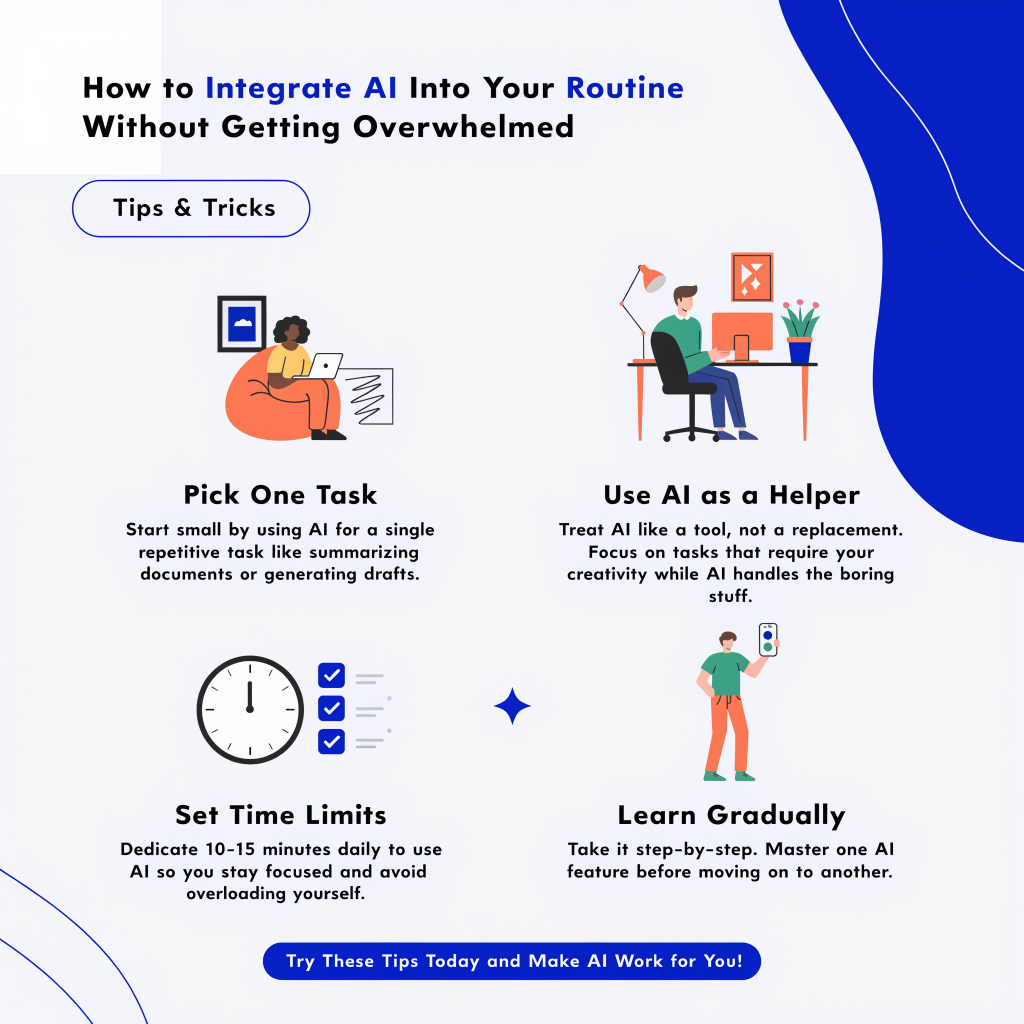
Before you even look at tools, identify one task that drains your mental energy. Not necessarily the one that takes the most time—but the one that leaves you feeling drained:
- Writing generic client emails?
- Organizing scattered notes into a clear outline?
- Planning your week without missing a deadline?
Pick just one pain point. That’s where you’ll introduce AI.
My example: For months, I wasted time turning messy notes into structured article plans. So I started using Notion AI for that one task only. Nothing else. For three weeks, I didn’t touch any other AI tool.
2. Test It for 10 Days—No More
Don’t fall into the trap of “I’ll try it someday.” Set a short trial: 10 days.
Each day, use the tool once, on your chosen task. Ask yourself:
- Did this save me time?
- Was the output usable as-is?
- Did I actually want to use it again?
If you answer “yes” to two of these, keep the tool. If not, drop it—no guilt.
AI isn’t an obligation. It’s a lever. And if a lever isn’t helping, you let it go.
3. Attach It to an Existing Habit
The biggest mistake? Creating a brand-new habit around AI (“I need to remember to open Perplexity every morning”).
Instead, embed it into a routine you already have:
- After checking email → ask your AI assistant to flag priorities.
- Before writing a blog post → run a quick research query in Perplexity.
- At the end of the day → let ClickUp summarize your next actions.
AI shouldn’t add a step. It should replace part of a step you’re already doing.
4. Limit Yourself to Three Tools Max
In 2026, it’s tempting to try every new AI that launches. But real productivity comes from mastery, not quantity.
I stick to three AI tools max:
- One for organization (Notion),
- One for research and writing (Perplexity),
- One for project management (ClickUp).
Everything else is noise. If a new tool shows up, I only add it if I remove an old one.
5. Take an AI-Free Day Once a Month
Yes, you read that right. Once a month, I force myself to work a full day without any AI.
Why? To check whether I’ve become so dependent on a tool that I’ve lost touch with my own judgment. AI should amplify your intelligence—not replace it.
And often, that “analog” day reminds me what I love most about my work: raw thinking, unfiltered creativity, and human connection.
In Short
Integrating AI into your routine isn’t a tech race. It’s an act of personal clarity: knowing what slows you down, choosing a simple ally, and letting it handle the grunt work.
The goal isn’t to become an AI expert.
It’s to reclaim time for what you do best: think, create, and move forward.
Key Benefits of Integrate AI Into Your Routine
Understanding the core advantages helps you make informed decisions and implement the right approach for your specific context. Here are the most significant benefits that practitioners consistently report:
- Time savings at scale: Once properly configured, Integrate AI Into Your Routine reduces manual effort by 60-80% on repetitive tasks, freeing your team to focus on high-value creative and strategic work.
- Consistency and reliability: Unlike manual processes that vary based on who executes them and when, a well-built Integrate AI Into Your Routine system delivers the same quality output every time, regardless of volume.
- Measurable ROI: The cost savings and output gains from Integrate AI Into Your Routine are directly trackable. Most teams that implement it properly see a positive return within the first 30-60 days.
- Scalability without proportional cost: You can multiply output 5x or 10x without multiplying your team size or budget. This is the fundamental leverage that makes Integrate AI Into Your Routine a competitive advantage.
- Reduced error rates: Automated and AI-assisted systems eliminate the class of errors that come from fatigue, distraction, and human inconsistency — particularly valuable in high-volume operations.
Implementation Checklist for Integrate AI Into Your Routine
Use this checklist to track your implementation progress and ensure you’re not missing critical steps:
Phase 1: Foundation (Week 1)
- ☐ Document your current process end-to-end (every step, every decision point)
- ☐ Identify which steps require human judgment vs. which are mechanical and repeatable
- ☐ Define 2-3 success metrics you’ll track from day one
- ☐ Choose your tool stack and verify integrations work before building
- ☐ Set up a test environment separate from your production workflow
Phase 2: Build (Week 2-3)
- ☐ Build the simplest version of the system first — no edge cases yet
- ☐ Test with real data, not synthetic test data
- ☐ Add error handling and failure notifications before going live
- ☐ Document the system so someone else can maintain it
- ☐ Get sign-off from all stakeholders who will interact with the system
Phase 3: Launch and Optimize (Week 4+)
- ☐ Run in parallel with the manual process for the first week
- ☐ Review outputs daily for the first 2 weeks
- ☐ Track your success metrics weekly
- ☐ Identify the next process to automate based on what you’ve learned
- ☐ Schedule a quarterly review of the system’s performance
Common Mistakes to Avoid with Integrate AI Into Your Routine
Most teams that struggle with Integrate AI Into Your Routine are not failing because the technology doesn’t work — they’re failing because of predictable, avoidable mistakes. Here are the most common ones:
1. Trying to automate everything at once
The teams that succeed with Integrate AI Into Your Routine start with one specific, well-defined process and get it working reliably before expanding. The teams that fail try to automate their entire operation in week one and end up with a fragile system nobody trusts.
2. Skipping the process documentation phase
Before you can automate or optimize a process, you need to understand exactly how it works today. Teams that skip this step build systems that automate the wrong version of the process — including all its existing inefficiencies.
3. Not defining success metrics upfront
If you don’t know what “working well” looks like before you start, you’ll never know if your implementation of Integrate AI Into Your Routine is actually delivering value. Define 2-3 concrete metrics before you build anything.
4. Underinvesting in the human review layer
The most effective Integrate AI Into Your Routine implementations keep humans in the loop at the right decision points. Removing all human oversight to maximize automation speed is how quality problems compound silently until they become crises.
5. Not planning for maintenance
Every system requires ongoing maintenance. APIs change, data structures evolve, business requirements shift. Budget time and responsibility for keeping your Integrate AI Into Your Routine system current — it’s not a one-time build.
Recommended Tools for Integrate AI Into Your Routine in 2026
The right tools make the difference between a fragile prototype and a production-grade system. These are the tools most consistently used by practitioners who have built reliable Integrate AI Into Your Routine workflows:
- Make.com — The automation backbone for connecting tools and building workflow logic without code. Handles complex branching, error handling, and data transformation better than alternatives at this price point.
- Claude (Anthropic) — Best for structured reasoning, long-form content tasks, and workflows requiring consistent output quality. Particularly strong for tasks that need nuanced judgment rather than just speed.
- n8n — The self-hosted alternative to Make for teams that need full data control or want to avoid per-operation pricing. Steeper learning curve, significantly lower cost at scale.
- Airtable or Notion — For managing the data layer of your workflow: tracking inputs, outputs, approvals, and status without building a custom database.
- RankMath or Yoast — For any workflow that touches WordPress content, these plugins provide the API hooks needed to update SEO metadata, schedule posts, and manage publishing programmatically.
The specific combination you choose matters less than ensuring the tools integrate cleanly with each other. Before committing to any stack, verify that the data can flow between tools in the format each tool expects.
Frequently Asked Questions
How long does it take to implement Integrate AI Into Your Routine?
A basic implementation takes 2-5 days for someone following a structured guide. A production-ready system with error handling, monitoring, and documentation takes 2-3 weeks. The difference is entirely in the quality of preparation.
Do I need coding skills?
For most Integrate AI Into Your Routine implementations in 2026, coding skills are helpful but not required. The visual workflow builders and AI assistants available today can handle most of the technical complexity. Python becomes useful when you need custom logic that visual tools can’t express.
What’s the most common point where people get stuck?
Authentication and API connections. Connecting two tools that both require credentials, handling tokens that expire, and debugging when a connection silently fails. Plan extra time for this phase.
Where should I start if I’m new to Integrate AI Into Your Routine?
Start with a process you already understand well and that has a clear, measurable output. Don’t start with your most complex or most critical process. Start with something you can afford to get wrong, learn from, and redo. That first build teaches you more than any course or guide.
Final Thoughts on Integrate AI Into Your Routine
The gap between teams that benefit from Integrate AI Into Your Routine and teams that don’t is rarely about access to tools or budget. It’s about approach. The teams that succeed treat it as a discipline — something they learn systematically, implement incrementally, and improve continuously. The teams that fail treat it as a switch they can flip once and forget.
If you take one thing from this guide: start smaller than you think you should. Pick the most contained, well-understood process in your operation. Build it. Measure it. Then expand. Every large-scale Integrate AI Into Your Routine system you’ve ever admired was built the same way — one reliable module at a time.
The tools in 2026 are better than they’ve ever been. The information is more accessible than ever. The only variable left is whether you act on it.