How to Use Perplexity for Research in 2026
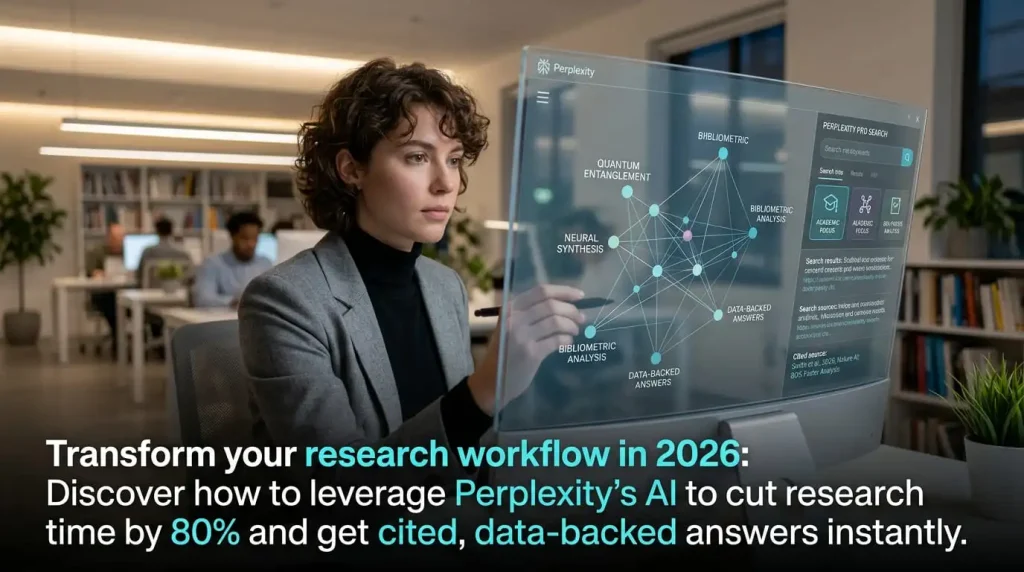
Learning how to use Perplexity for research in 2026 can cut your research time by 60-80%. Unlike Google — which gives you links to read — Perplexity synthesizes information from multiple sources into a single cited answer. But most users only scratch the surface of what it can do. These 10 pro tips will transform how you use it.
Tip 1: Use Pro Search for Complex Research Questions
Standard Perplexity search uses a quick model and 3-5 sources. Pro Search (the lightning bolt icon) is fundamentally different — it breaks your question into sub-queries, searches 15-20 sources per sub-query, and synthesizes a complete, multi-angle answer. For anything beyond a simple fact lookup, always use Pro Search. Free users get 5/day; Pro users get 300/day.
| Question type | Use standard search? | Use Pro Search? |
|---|---|---|
| “What is the capital of France?” | Yes | No |
| “What are the best AI automation tools in 2026?” | No | Yes |
| “How does RAG work?” | No | Yes |
| “Latest iPhone model” | Yes | No |
| “Compare n8n vs Zapier for small business” | No | Yes |
Tip 2: Master Focus Modes to Filter by Source Type
Most users leave Perplexity on “All Sources” — a mistake. Focus modes dramatically improve result quality for specific research types:
- Academic — searches peer-reviewed papers (PubMed, arXiv, Semantic Scholar). Essential for science and medical research.
- YouTube — finds and summarizes video content with timestamps. Great for tutorials and how-to research.
- Reddit — surfaces community discussions and real user opinions. Invaluable for product reviews and “is X worth it”. queries.
- News — filters to recent news articles only. Best for current events and company announcements.
- Writing — focuses on long-form articles and blog content. Good for topic research.
Tip 3: Chain Queries in Follow-Up Threads
Perplexity maintains context within a conversation thread. After an initial answer, ask follow-up questions that build on it — like interviewing an expert. Example chain:
- “What are the main AI agent frameworks in 2026?”
- “Compare LangChain and CrewAI in detail”
- “What are the most common mistakes when using CrewAI?”
- “Give me a production-ready CrewAI setup for a content team”
Each follow-up uses the previous context — no need to repeat background information.
Tip 4: Upload PDFs and Documents for Analysis (Pro)
With Perplexity Pro, upload any PDF, CSV, or text document and ask questions about it. Perplexity reads the entire document and cites specific pages in its answers. Use cases: analyzing competitor reports, reviewing contracts, extracting data from research papers, summarizing long documentation.
Tip 5: Use Spaces for Ongoing Research Projects
Perplexity Spaces (Pro) are collaborative research workspaces. Create a Space for a project, add relevant URLs as context sources, invite collaborators, and build a shared knowledge base over time. All searches within a Space use your curated sources as priority context — far better than starting fresh each session.
Tip 6: Verify Every Citation (Critical Habit)
Perplexity’s biggest strength is also its risk: it synthesizes confidently. Always click the numbered citation links to verify important facts. Perplexity occasionally misinterprets or over-generalizes from sources — especially for statistics, prices, and dates. Treat it as a research accelerator, not a final authority.
Tip 7: Ask Perplexity to Compare Multiple Options
Perplexity excels at head-to-head comparisons because it pulls from multiple sources simultaneously. Frame questions as: “Compare X and Y across these dimensions: [list].” This forces structured output that’s easy to evaluate. Example: “Compare HubSpot and GoHighLevel for a 5-person marketing agency: features, pricing, learning curve, and customer support.”
Tip 8: Use It for Real-Time Competitive Intelligence
Unlike ChatGPT (knowledge cutoff), Perplexity has real-time web access. Use it for: “What has [competitor] announced in the last 30 days?”, “What are people saying about [product] on Reddit this month?”, “What pricing changes has [company] made recently?” This is genuinely useful intelligence that would otherwise take hours to gather manually.
Tip 9: Switch Models for Different Task Types (Pro)
Perplexity Pro lets you choose your AI model. Use the right one for the task:
- Sonar Large (default Pro) — best balance of speed and depth for most research
- GPT-4o — best for complex analytical reasoning and nuanced synthesis
- Claude 3.5 Sonnet — best for writing-heavy research (reports, summaries)
- Gemini 2.5 Pro — best for very long research threads requiring large context
Tip 10: Build Research Templates as Saved Prompts
Develop standard research prompts for your recurring use cases and save them. Examples:
- Market research template: “Research [topic]. Cover: market size, key players, recent trends (last 6 months), common pain points, and opportunities. Use Academic + News focus mode.”
- Competitor analysis template: “Analyze [competitor]. Cover: product features, pricing, target customer, recent announcements, and customer complaints. Use Reddit + News sources.”
- Technical deep-dive template: “Explain [technical topic] for a senior professional. Include: how it works, best practices, common mistakes, and 2026 developments. Use Academic focus.”
FAQ — How to Use Perplexity for Research 2026
Is Perplexity good for academic research?
Yes — use Academic focus mode to search peer-reviewed papers. Always verify citations in the original source, especially for medical or scientific claims.
How accurate is Perplexity?
More accurate than ChatGPT on factual queries because it grounds answers in real-time sources. However, it can misinterpret or over-generalize. Always verify statistics and specific claims.
Can Perplexity replace Google Scholar?
For quick paper discovery and summarization — largely yes. For deep bibliographic research and citation management, Google Scholar remains more complete.
How many Pro Searches can I do per day?
Free: 5/day. Pro ($20/month): 300/day. Standard searches (without Pro mode) are unlimited on both plans.
Does Perplexity work for non-English research?
Yes — it handles most major languages and can translate results. For specialized non-English academic content, quality may vary.
Use perplexity research —